
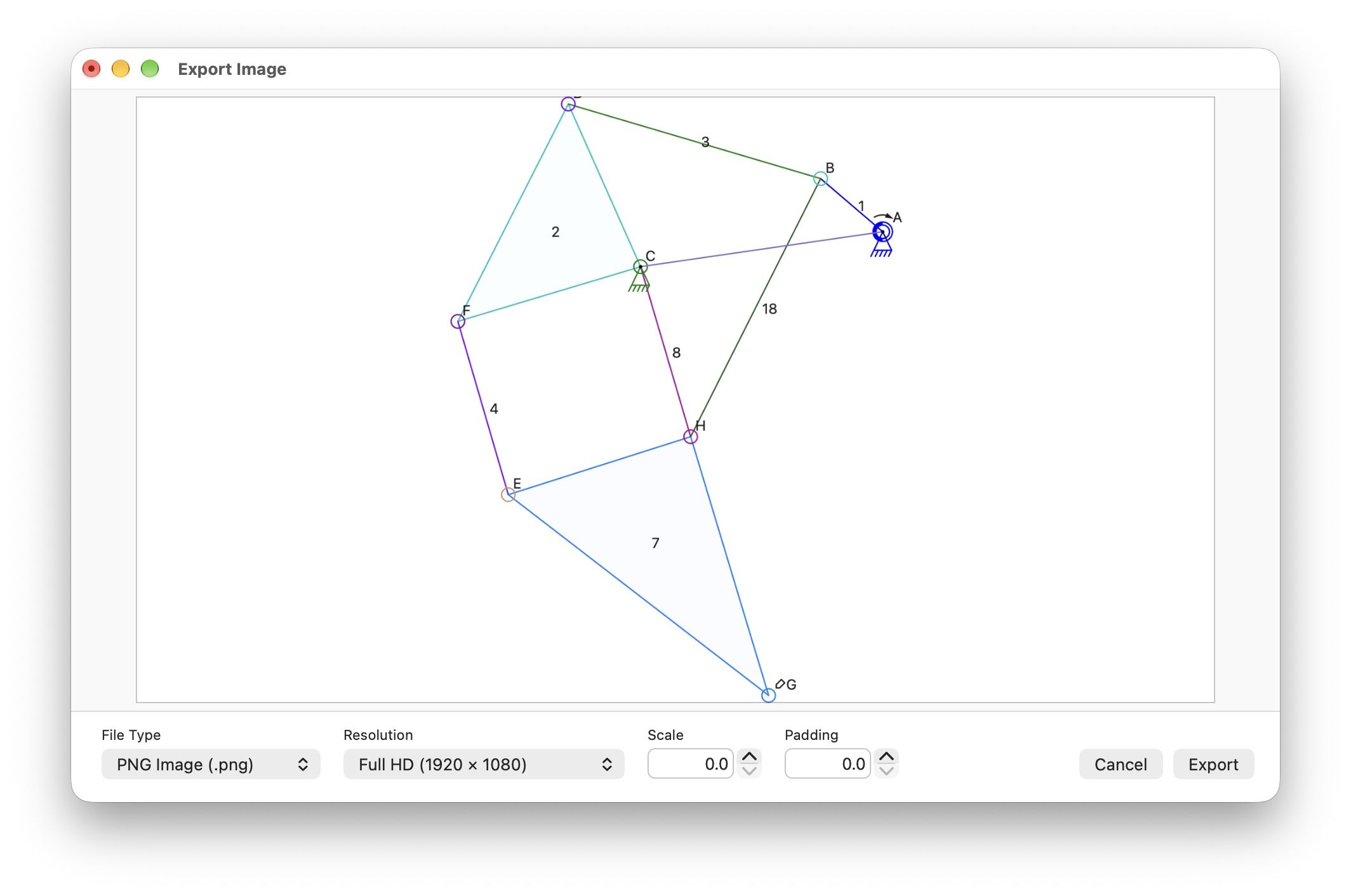
I’m in the process of implementing the bitmap export feature for the Mac Linkage app.
The new image export window shows a copy of the export bitmap shrunk to fit into the preview area. Image file type, image size, scale, and padding, can all be adjusted here. I provide a reasonable set of preset sizes right now, and later I’ll add a custom size option. The Scale parameter is used to change the line widths, font size, connector circle, and other annotation sizes without altering the proportions of the mechanism. The padding option is just a way to add a little whitespace around the content.
This is a tricky feature because the connector circles, annotations, line widths, etc., do not change in size even when zooming in in the editor, or when scaling the entire mechanism in the editor. To get the actual size of the drawn content, I had to create a rendering “engine” that does no drawing but does keep track of the bounds of every drawn item. Arcs and splines are a bit more complex than a straight line. but since I implemented this in the Windows app decades ago, I knew where to start; it was only some of the scaling math that caused me headaches. Even showing this preview with a border around it required that I do a little extra math beyond calculating an aspect ratio and size for the preview image area.
Now I just need to finish using this to create the bitmap file!